Connecting Your Timelapse Cameras to Procore: Benefits for Construction Teams
How the Sentinel OS Procore integration keeps your timelapse photos organized, accessible, and tied to the project record teams already work from.
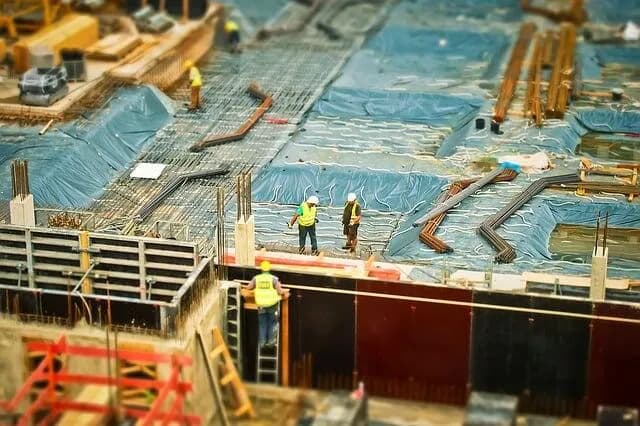
A timelapse camera on a construction site produces a lot of images. Over the life of a project, that record grows into thousands of high-resolution photos. The value of that record depends on one thing: whether your team can find the image they need, when they need it.
Sentinel OS connects to Procore so your visual record lives alongside the rest of your project. Photos captured by your Buildcam hardware flow into the platform your team already uses to run the job, rather than sitting in a separate system that only some people check.
Why the integration matters
Most construction teams already run their projects through Procore. Documents, RFIs, schedules, and daily logs sit in one place. When your visual record sits somewhere else, it becomes an extra tab to open and an extra login to remember. That friction is usually why progress photos go unused.
Bringing timelapse imagery into Procore closes that gap. The photos become part of the project record, indexed against the phases and dates your team is already tracking. No separate album to maintain, no manual exports, no wondering which folder the excavation shots ended up in.
What the integration does
Organized photo storage
High-resolution images from your Buildcam cameras are stored in a structured way inside Procore, rather than scattered across email threads and shared drives. Teams can organize imagery by project phase, so the excavation stage, the structural build, and the finishing work each have a clear place in the record.
The result is a single, consolidated view of the project's visual history. When a project manager or a marketer needs a specific image, they know where to look.
Detail worth keeping
Buildcam cameras capture at 24MP. That resolution matters when the image has to do more than confirm that work happened. High-resolution photos let you zoom into a specific area, compare progress across dates, and check detail that a low-quality snapshot would lose.
For quality control, that detail helps teams spot issues early, while there is still time to correct them. For compliance and dispute resolution, a clear, timestamped image is a stronger record than notes or memory.
A shared record for the whole team
Because the imagery lives inside Procore, everyone with project access works from the same visual record. Contractors, clients, and stakeholders see the same photos, which keeps communication straightforward and reduces the back-and-forth that comes from people working off different information.
Who benefits
Project managers
For the people running the job, the integration turns a growing photo library into a usable tool. Progress is easy to review, milestones are easy to verify, and the visual record supports decisions without anyone having to hunt for evidence.
Marketing teams
A construction project is a story worth telling, and the raw material sits in your timelapse archive. With imagery organized and accessible in one platform, marketing teams can pull sequences that show a project's progression: before-and-after comparisons, milestone moments, and the kind of visual proof that resonates with prospective clients.
Clients and stakeholders
Clients want visibility into a project they may rarely visit. A well-organized visual record, tied to the project schedule, answers the "how is it going?" question clearly and reduces the number of update calls a team fields.
Setting it up
The integration links your Sentinel OS account with your Procore project, so imagery captured by your cameras flows through automatically. Your cameras run on a configurable schedule, capturing at regular intervals across the working day, and the images are made available in both platforms without manual handling.
Once connected, the workflow is hands-off. Your team keeps working in Procore, and the visual record builds alongside everything else.
Getting started
If your team already runs projects through Procore, connecting your Buildcam cameras keeps your visual documentation in the same place as the rest of your project record. That consistency is what turns a pile of photos into something your team actually uses.
To see how the integration fits your setup, get in touch with our team. Refer to our pricing page for a full breakdown of our pricing.